Anytime, Anywhere Convenience: A Guide to Yescan
Yescan provides a one-stop document processing solution for users in the digital age. As a tool that integrates efficient scanning, intelligent recognition, and cloud storage, Yescan excels in generating high-definition scans and performing fast, accurate text recognition. It enables users to quickly capture and process information, even in fast-paced work environments.
Basics of Using Yescan
1. Scanning Documents
Align the Document: Position your phone camera over the document, ensuring the content is clearly visible.
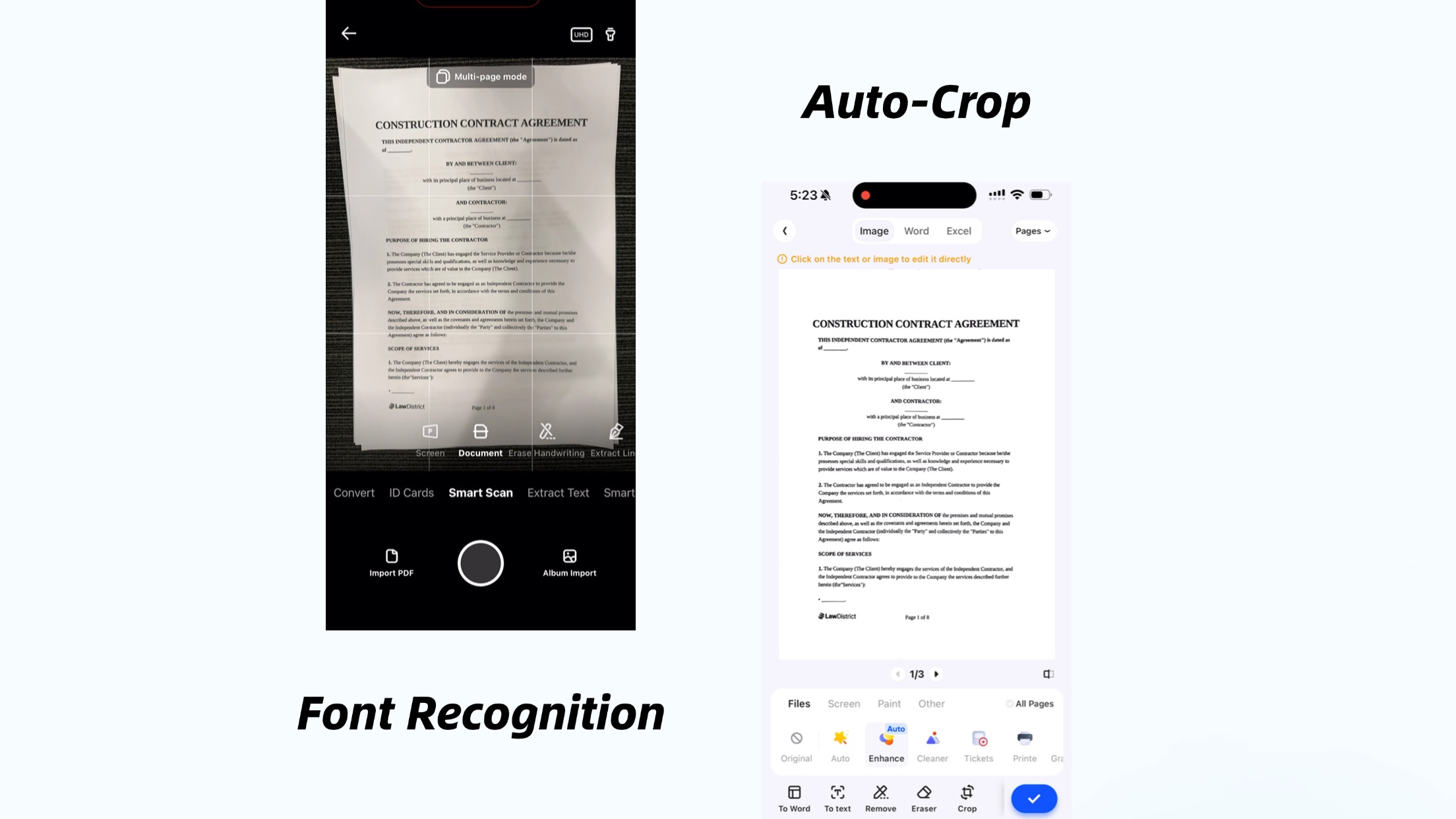
Automatic Scanning: Yescan automatically detects document edges and crops them, though users can also manually adjust the scanning area.
Confirm the Scan: Tap the "Confirm" button at the bottom of the screen to complete the scan.
2. Viewing and Editing Scanned Files
After scanning, Yescan saves files in the cloud album. Users can view, edit, annotate, or export scanned documents from the album.
Key Features of Yescan Online Scanning
1. OCR Text Recognition
Yescan features powerful OCR (Optical Character Recognition) technology, converting scanned images into editable and searchable text. Simply click the "Extract Text" button below the file to easily extract text content.
2. Multi-Format Export
Yescan supports exporting scanned files in various formats, including PDF, JPEG, and Word, catering to different needs. Users can choose the appropriate format and save files locally or to the cloud.
Tips for Using Yescan
1. Auto-Crop and Straighten
Yescan automatically crops and straightens documents, enhancing clarity even if the original photo has skewed text, shadows, or creases. Users only need to ensure the document content is fully captured.
2. Accurate Handwriting and Special Font Recognition
Yescan supports high-precision handwriting and special font recognition, quickly converting handwritten notes or unconventional text into digital format. This feature is particularly useful for students, teachers, or professionals handling large volumes of handwritten materials.
3. Batch Scanning and Merging
For users needing to scan multi-page documents, Yescan supports batch scanning. Simply take consecutive photos of each page, and Yescan will automatically merge them into a single file. Additionally, Yescan offers features like merging long images and PDF conversion to meet diverse needs.
